Audit log
See who did what in Quote Hub, whether a person or an AI agent, across the system and for one enquiry.
Quote Hub records every status change, decision, email and setting change with who made it and when. Administrators see the whole log on the Audit log tab. Everyone can see the trail for a single enquiry on its Activity & D365 tab.
Audit log tab
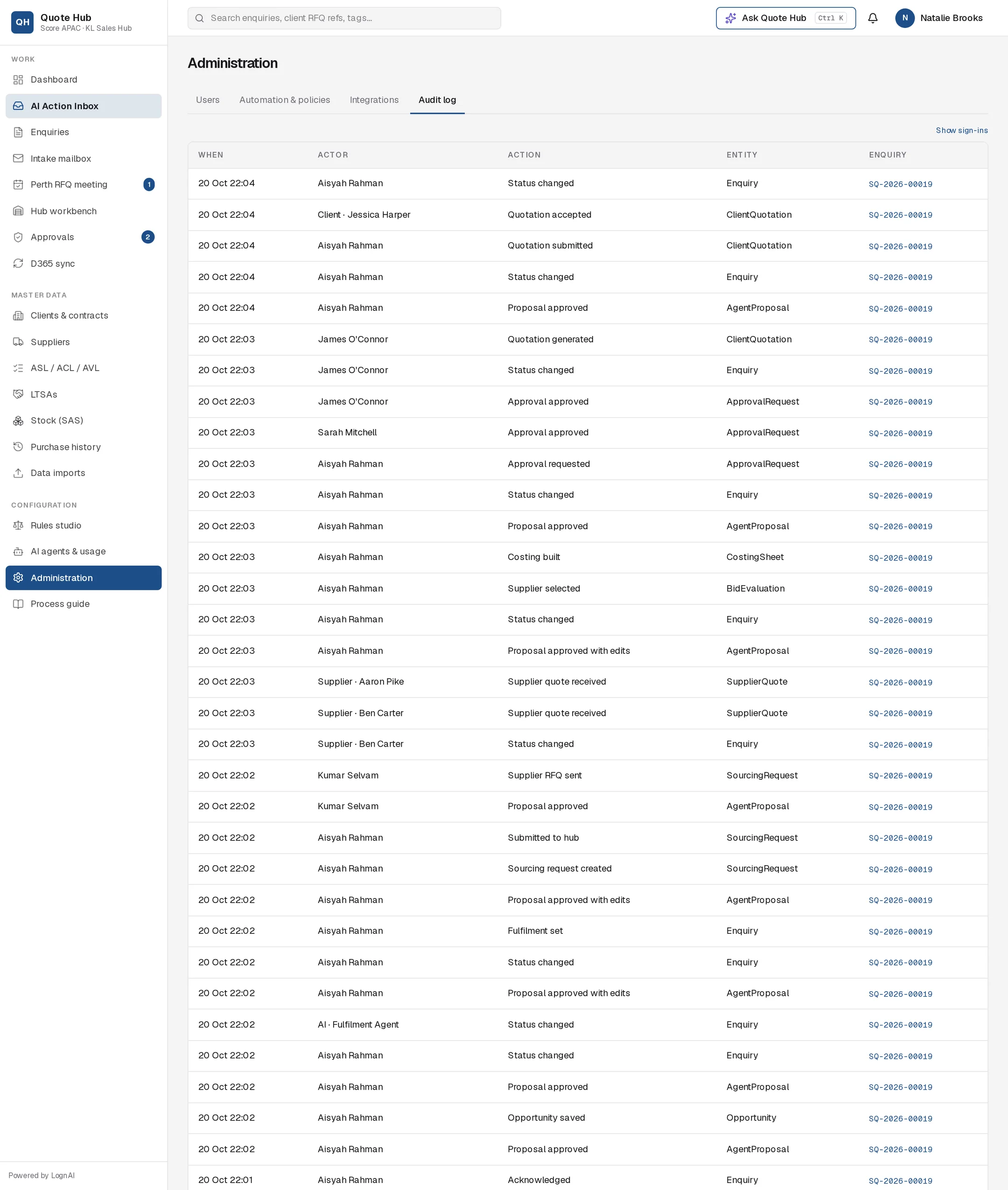
The tab lists the 300 most recent entries, newest first. Sign-ins and sign-outs are hidden by default. Select Show sign-ins to include them, and Hide sign-ins to hide them again.
| Column | What it shows |
|---|---|
| When | Date and time |
| Actor | The person's name. AI agents, clients, suppliers and the system are labelled with their type, for example "Client · Jane Lee" |
| Action | What happened, in words, for example Status changed, Proposal approved, Rules updated, Setting changed, Master import |
| Entity | The kind of record affected, such as Enquiry, User, RuleSet or SystemSetting |
| Enquiry | The enquiry number, when the entry belongs to one. Select it to open that enquiry's Activity & D365 tab. |
Who did it
| Actor type | Meaning |
|---|---|
| user | A Quote Hub user, by name |
| ai | An AI agent acting within its own step, for example the Screening Agent moving an enquiry to screening |
| system | Quote Hub itself. Proposals auto-approved by autopilot show "Autopilot". |
| client | A client contact acting in the client portal, for example accepting a quotation |
| supplier | A supplier contact acting in the supplier portal, for example submitting a quote |
Anything an AI agent proposes to send or change is recorded when a person approves it, under that person's name, as "proposal approved" or "proposal approved with edits". See AI Action Inbox.
Activity & D365 tab
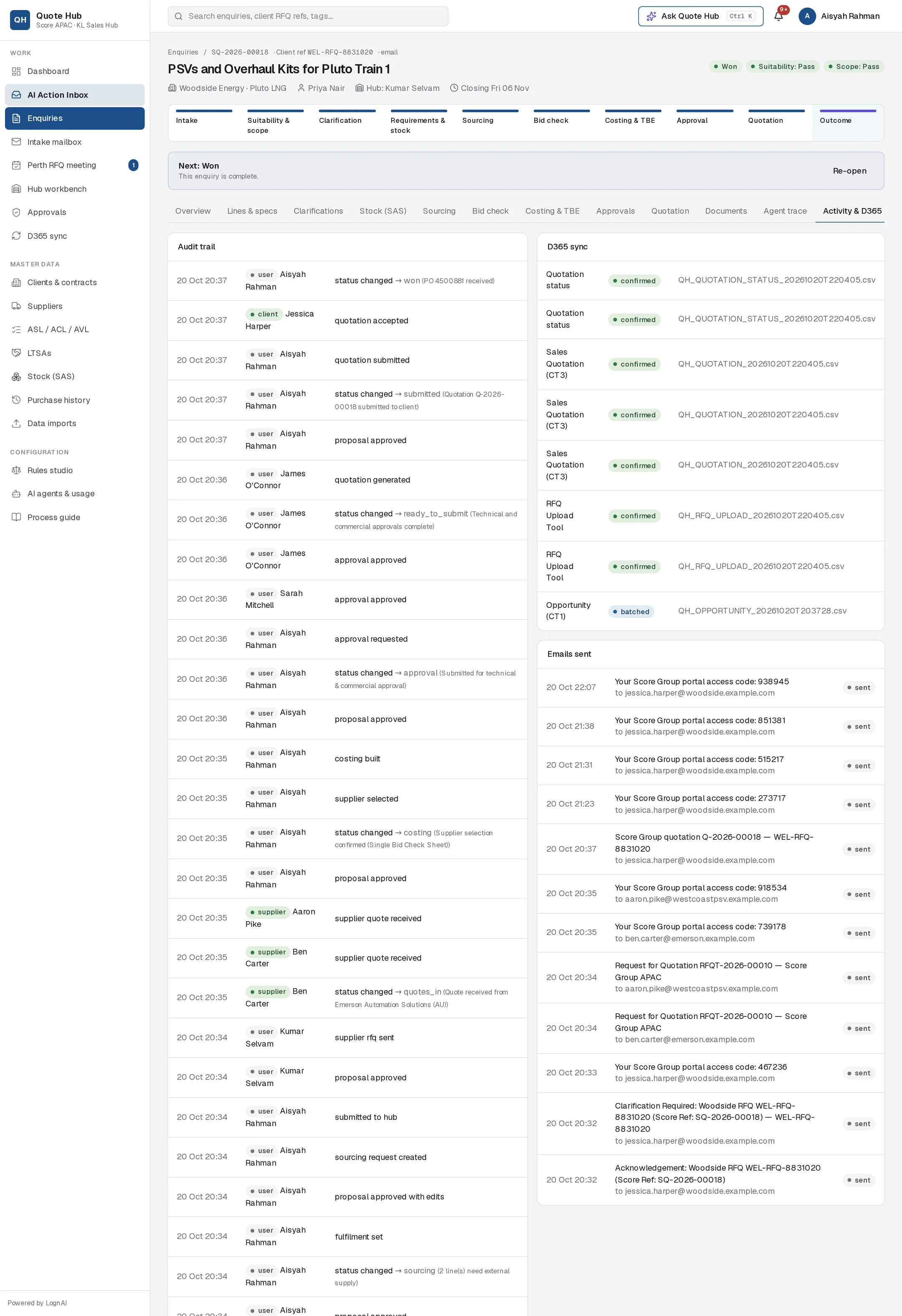
Open any enquiry and select the Activity & D365 tab. It has three panels:
- Audit trail: the latest 200 entries for this enquiry. Each row shows the time, an actor pill (user, ai, client, supplier or system) with the name, and the action. Status changes show the new status and the reason, for example "status changed → won (PO 4500881 received)".
- D365 sync: every D365 row queued for this enquiry, by record type, with status queued ("awaiting next batch"), batched with the file name, or confirmed. See D365 sync.
- Emails sent: the emails sent for this enquiry, with subject, recipient and status sent or failed.
Good to know
- The log cannot be edited or deleted from Quote Hub.
- Sign-ins are logged too, but hidden unless you select Show sign-ins. Open an enquiry's Activity & D365 tab to see one enquiry's history.
- For the AI's own reasoning and steps on an enquiry, use the Agent trace tab. See Agent trace.