Lines and specs
Review, correct and complete the line items and technical attributes of an enquiry.
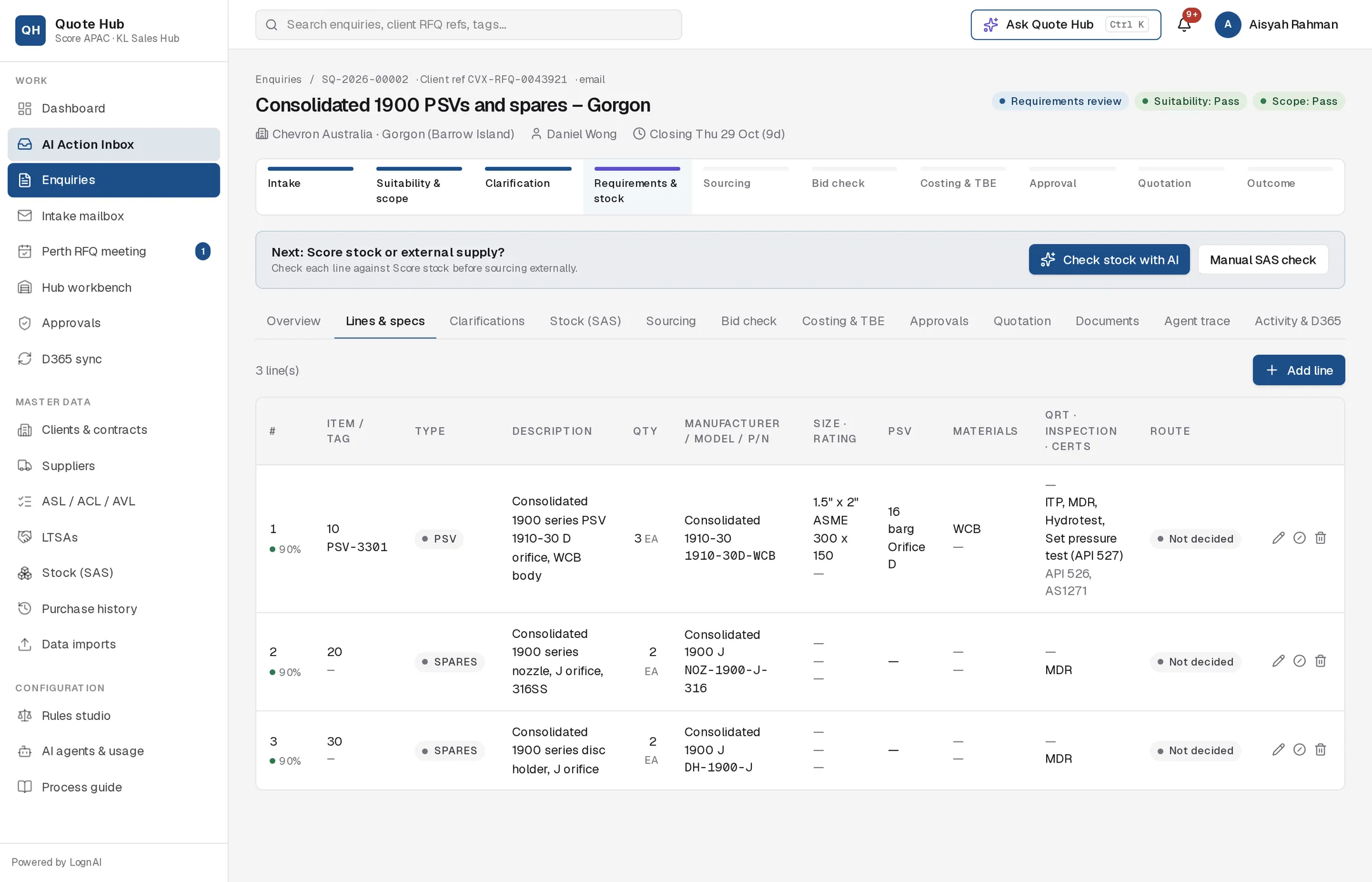
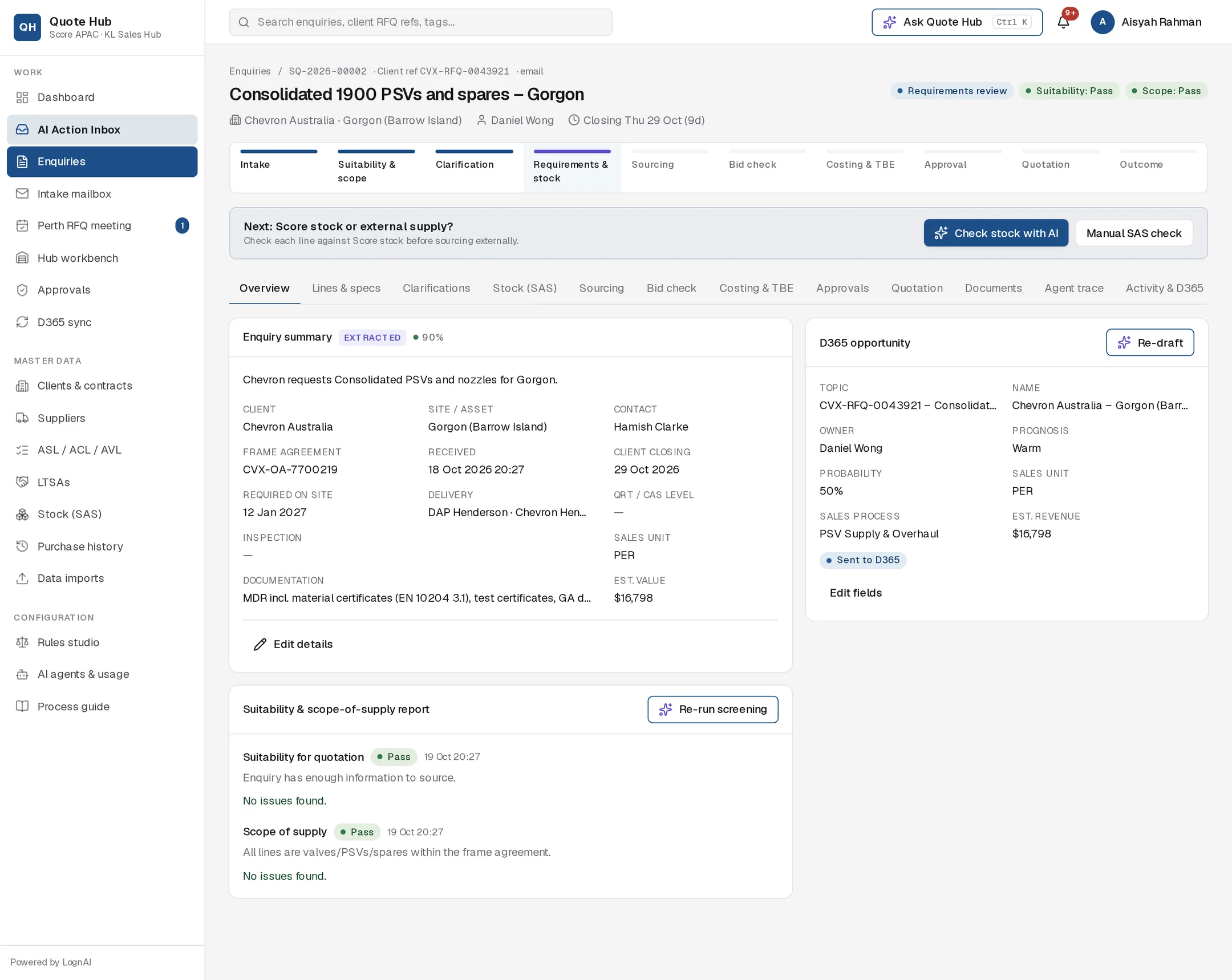
The Lines & specs tab lists every item the client asked for, with the technical attributes needed to source it. Check it before the stock check and sourcing, because the RFQ form, supplier RFQs and quotation are built from these lines.
Reading the table
The count above the table shows the number of lines and how many carry AI flags.
| Column | Shows |
|---|---|
| # | Line number and the AI's overall confidence for the line. |
| Item / tag | Client item number and tag number. |
| Type | PSV, VALVE, SPARES or OTHER. |
| Description | The item description, with any AI flags underneath in amber. |
| Qty | Quantity and unit of measure. |
| Manufacturer / model / P/N | Manufacturer, model and part number. |
| Size · rating | Size, pressure class and end connection. |
| PSV | Set pressure and orifice, for PSV lines. |
| Materials | Body and trim material. |
| QRT · inspection · certs | QRT/CAS level, inspection and testing, certifications. |
| Route | Not decided, Score stock, Part stock or External supply after the stock check, or no quote. |
Line attributes
Select the pencil icon on a line to see and edit every attribute.
| Attribute | Example |
|---|---|
| Client item, Client material no., Tag no. | 10, PSV-3301 |
| Product type | PSV, VALVE, SPARES, OTHER |
| Description | Consolidated 1900 series PSV 1910-30 D orifice, WCB body |
| Quantity, UoM | 3 EA |
| Manufacturer, Model, Part number, Serial no. | Anderson Greenwood Crosby, JOS-E |
| Valve type | Gate, globe, ball, check, butterfly, plug, control |
| Size | 1.5" x 2" |
| Pressure class / rating | ASME 300 x 150 |
| End connection | RF flanged, RTJ, BW, SW, NPT |
| Body material, Trim material | WCB, 316SS |
| Set pressure, Orifice | 16 barg, D |
| Service / fluid, Temperature | Fuel gas, 120 °C |
| QRT / CAS | QRT 2 |
| Inspection & testing | ITP, MDR, Hydrotest, PMI, seat leak test |
| Certifications | API 526, API 527, AS1271, NACE MR0175 |
| Required date | The date the client needs the item |
| Notes | Anything else from the client |
Confidence and flags
Values the Intake Agent extracted carry a confidence.
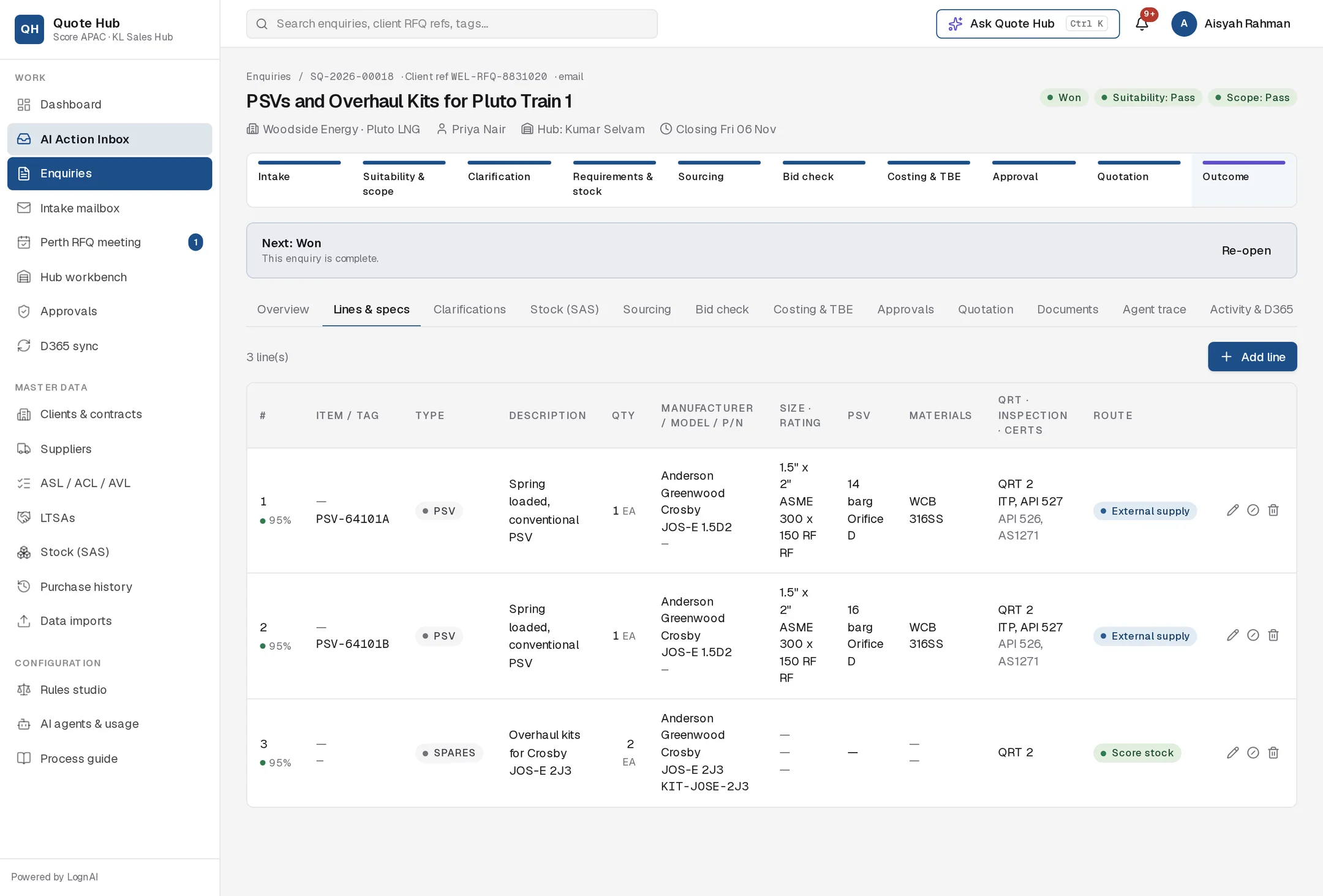
- The percentage under each line number is the overall confidence for that line. Green is 80% or more, amber 60–79%, red below 60%.
- A value with an amber background is one the agent inferred rather than read. Hover over it to see AI was unsure about this value.
- Amber flags under the description, such as Quantity not stated, point to gaps to resolve.
When you save a line, only the fields you changed count as confirmed, and only their AI flags clear. The same applies when you approve updates from a client reply. Marking a line no quote, or bringing it back, leaves its flags as they are.
Edit lines
Edit a line
Select the pencil icon, change the values and select Save line. Enter inspection and certification items separated by commas.
Add a line
Select Add line, fill in at least the description and select Save line. The line is added at the end.
Remove a line
Select the bin icon and confirm. Use this for lines the client did not ask for, not for lines Score will not quote.
No-quote lines
When Score will not quote a line, for example because it is outside scope of supply, mark it no quote rather than deleting it. The client then sees on the quotation that the line was considered.
- Select the circle-slash icon on the line and enter the reason, which is shown on the quotation.
- Select the same icon again to bring the line back into the quotation.
- Screening can propose this for you. See Screening.
No-quote lines are greyed out and are left out of the stock check and sourcing.
Good to know
- After significant edits, select Re-screen while the enquiry is at screening, or Re-run screening on the Overview tab.
- Once the lines are right, continue with the Stock check.