Supplier portal
How suppliers open an online RFQ, enter prices and lead times line by line, ask questions and submit or revise their quotation.
Score sends RFQs to suppliers online, not as PDF attachments. Each supplier gets a secure link to the supplier portal, where they enter their offer line by line. Their quotation arrives in Quote Hub ready for the bid check, with no retyping. Suppliers do not need an account.
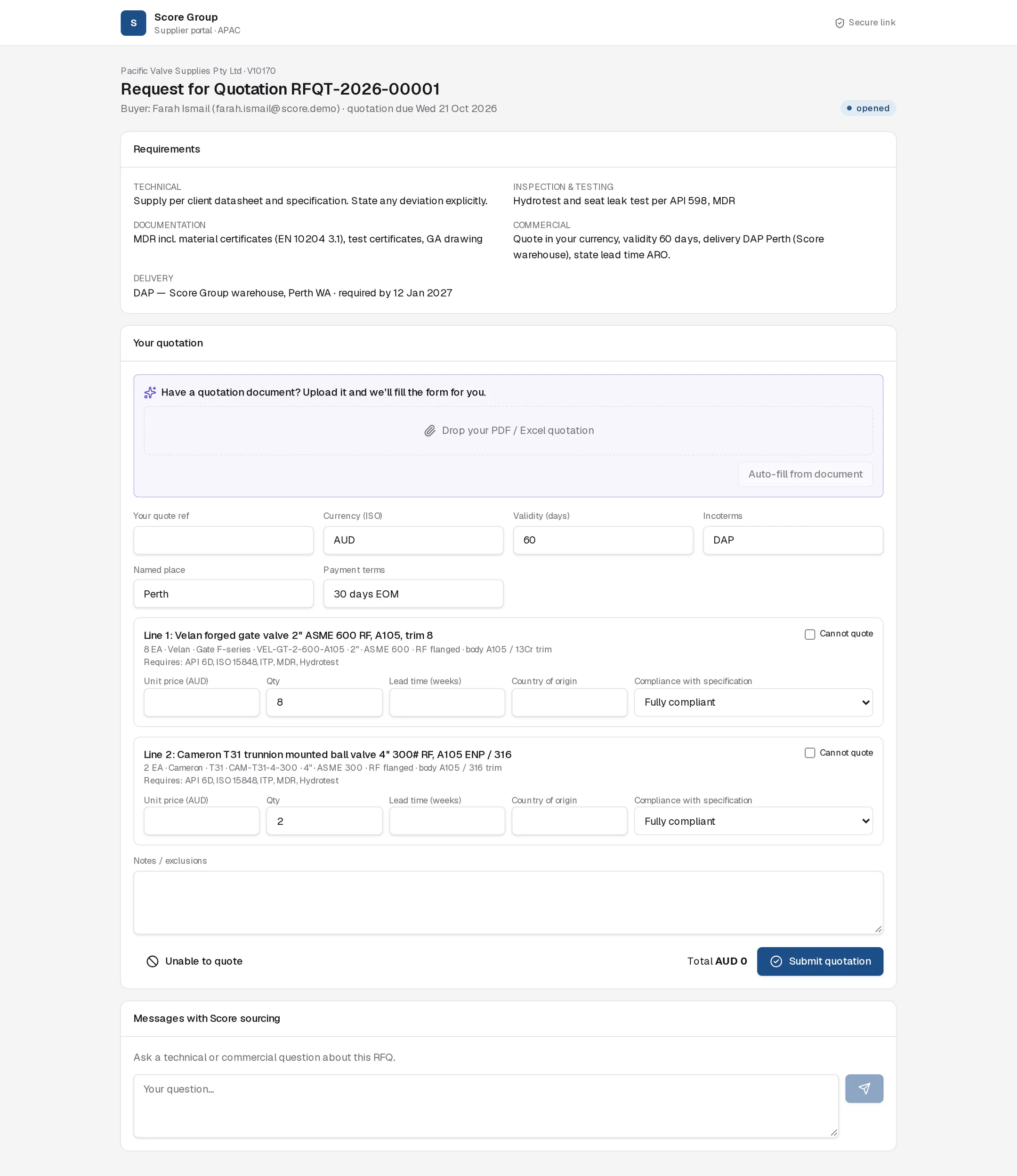
How the supplier gets a link
When the hub buyer sends the RFQ (from the Hub workbench or by approving the Hub Buyer Agent's proposal), Quote Hub emails each selected supplier's primary contact. The email lists the lines and quantities and has a View RFQ & submit quotation button. Later messages and reminders on the same RFQ use the same link, with an Open supplier portal button, and extend its expiry. If the link was revoked, a new one is issued. See Hub sourcing.
Signing in
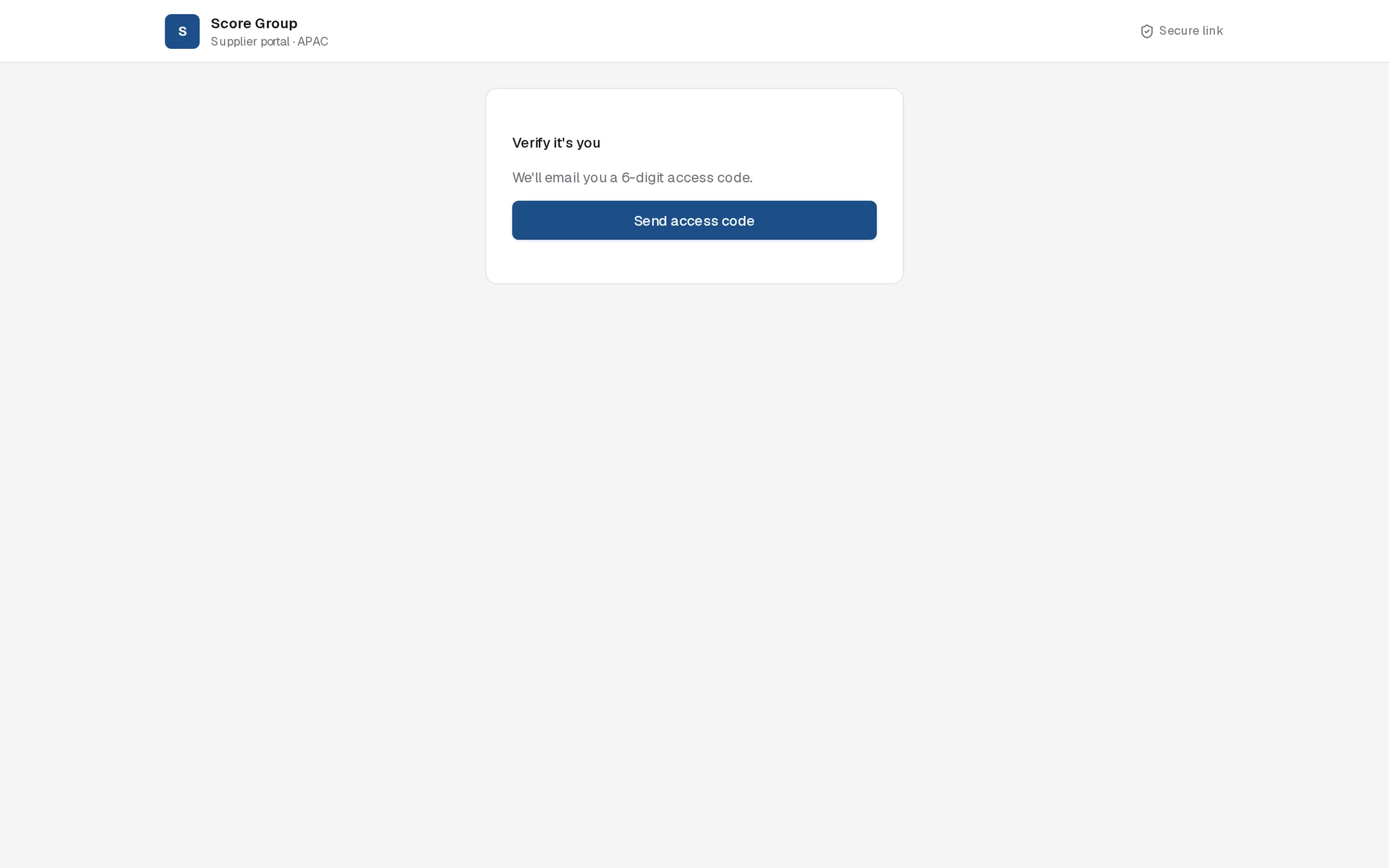
The supplier selects Send access code, receives a 6-digit code by email and enters it. When the supplier first opens the RFQ, its status in Quote Hub changes from sent to opened.
What the supplier sees
- Their company name and supplier code, the RFQ number, the buyer's name and email, and the quotation due date.
- Requirements: technical, inspection and testing, documentation, commercial, and delivery (DAP, Score Group warehouse, Perth WA, with the required date).
- Each line: description, quantity, manufacturer, model, part number, size, pressure class, end connection, body and trim material, set pressure, orifice, and required certifications and inspection.
The portal does not show the end client's name or site, or any other supplier's offer.
Entering a quotation
Header
| Field | Default |
|---|---|
| Your quote ref | Blank |
| Currency (ISO) | The supplier's currency from Score's supplier record |
| Validity (days) | 60 |
| Incoterms | DAP |
| Named place | Perth |
| Payment terms | 30 days EOM |
Each line
| Field | Notes |
|---|---|
| Unit price | In the header currency |
| Qty | Pre-filled with the RFQ quantity |
| Lead time (weeks) | |
| Country of origin | |
| Compliance with specification | Fully compliant, Compliant with deviations or Alternative offered |
| Offered manufacturer, offered part no. | Shown when the line is not fully compliant |
| Describe the deviation | Required when the line is not fully compliant |
Tick Cannot quote on any line the supplier will not offer. Add general conditions under Notes / exclusions. The running total is shown next to the submit button.
Let AI fill the form
Under Have a quotation document? Upload it and we'll fill the form for you. the supplier drops their own PDF or Excel quotation and selects Auto-fill from document. The Quote Reader matches it to the RFQ lines and fills the header and line fields. The supplier must check every value before submitting; nothing is sent to Score until they do. The uploaded document is attached to the quotation they submit.
Submit
The supplier selects Submit quotation. The enquiry owner and hub buyer are notified, with how many suppliers are still outstanding. If any line has a deviation or alternative, the Quote Reader checks it against the client specification and adds a note to the agent trace.
Revising a quotation
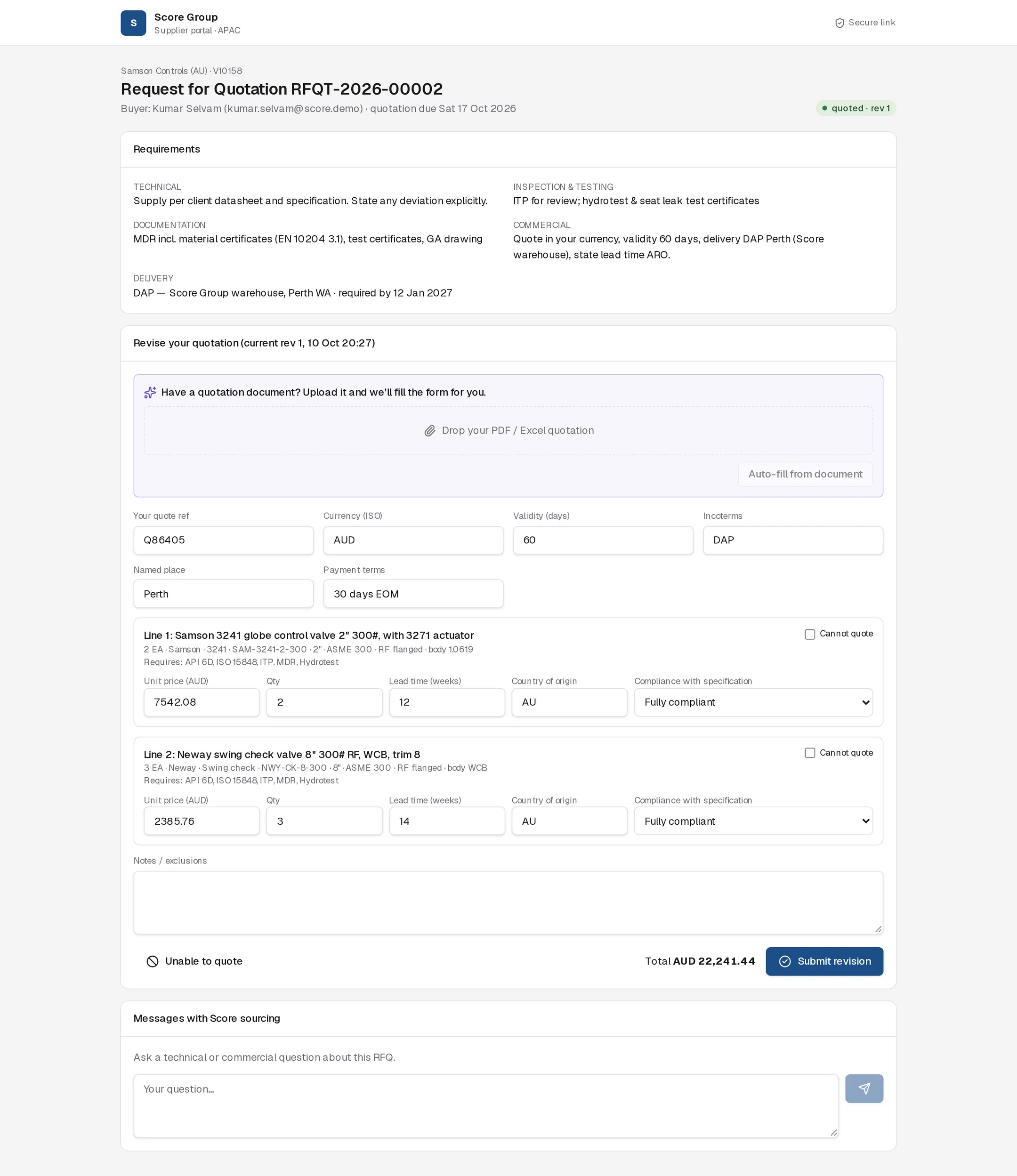
After submitting, the status shows quoted · rev 1 and the form becomes Revise your quotation, pre-filled with the current offer. The supplier changes what they need and selects Submit revision. Each revision is kept, and Quote Hub notifies the team of the revised quote.
Questions and declining
- Messages with Score sourcing: the supplier types a technical or commercial question and sends it. The hub buyer is notified, and replies go back to the same thread.
- Unable to quote: the supplier gives a reason and the RFQ is marked declined. The quotation form is then hidden.
Good to know
- Supplier links expire 90 days after they were last issued. Access codes expire after 10 minutes.
- If the sourcing request is closed or cancelled, the portal rejects new submissions with "This RFQ is closed."
- The portal does not stop submissions after the due date. The hub buyer decides whether to accept a late quote.
- Hub buyers can also upload a quotation that arrived by email; the Quote Reader proposes recording it. See Hub sourcing.
For your suppliers
You can forward this section to a supplier.
Score Group APAC requests quotations through a secure online portal.
- Open the link in the RFQ email and select Send access code. Enter the 6-digit code emailed to you (valid for 10 minutes).
- Read the Requirements and each line. Delivery is DAP Score Group warehouse, Perth WA.
- Enter your quote reference, currency, validity, Incoterms and payment terms.
- For each line, enter unit price, quantity, lead time in weeks and country of origin, and choose the compliance status. If you offer a deviation or alternative, describe it. Tick Cannot quote for lines you will not offer.
- To save typing, upload your own quotation under Auto-fill from document, then check every value.
- Select Submit quotation. To change your offer later, edit the form and select Submit revision.
Use Messages with Score sourcing for questions. If you cannot quote at all, select Unable to quote and give a reason.