Perth RFQ meeting
The daily agenda of enquiries that need a senior decision, and how to record the outcome.
Most enquiries are settled by the ground rules, the Screening Agent and the sales engineer. The few that need a senior judgement are tabled at the daily Perth RFQ meeting. Quote Hub keeps the agenda and records each decision.
How items get on the agenda
An enquiry is added to the agenda for the day it is tabled.
- From AI. When screening finds an ambiguity that needs senior judgement, the Screening Agent proposes Add to today's Perth meeting with the points for discussion. Approving the card adds it to the agenda. You can edit the discussion points before approving.
- By hand. On the enquiry, select Table at Perth meeting on the Next: bar, describe what needs Perth's judgement and select Add to agenda.
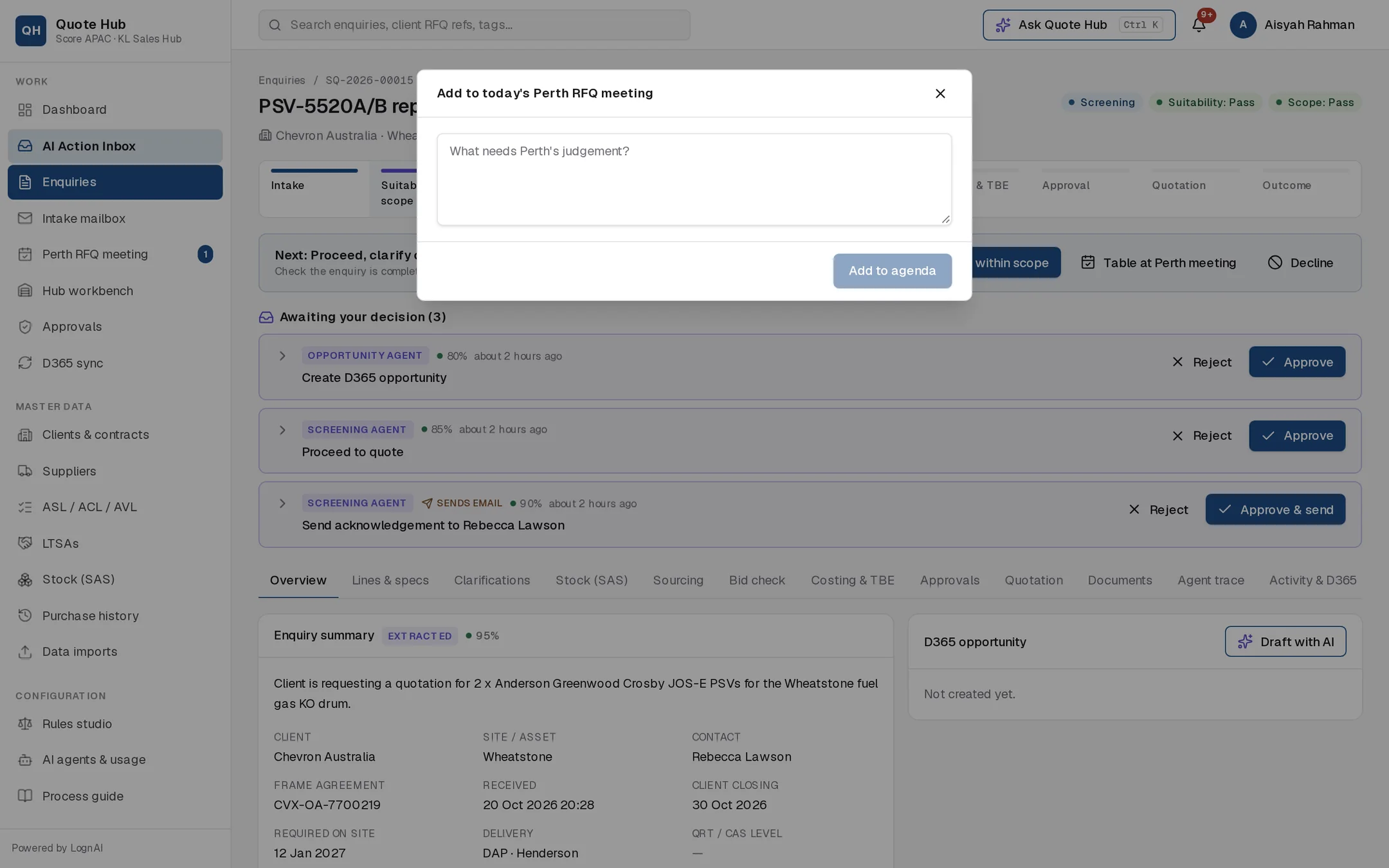
Tabling does not change the enquiry's status. The header shows a Perth meeting pill, and the Overview tab shows the agenda entry until a decision is recorded. The sidebar badge on Perth RFQ meeting counts today's items still awaiting a decision.
Reading the agenda
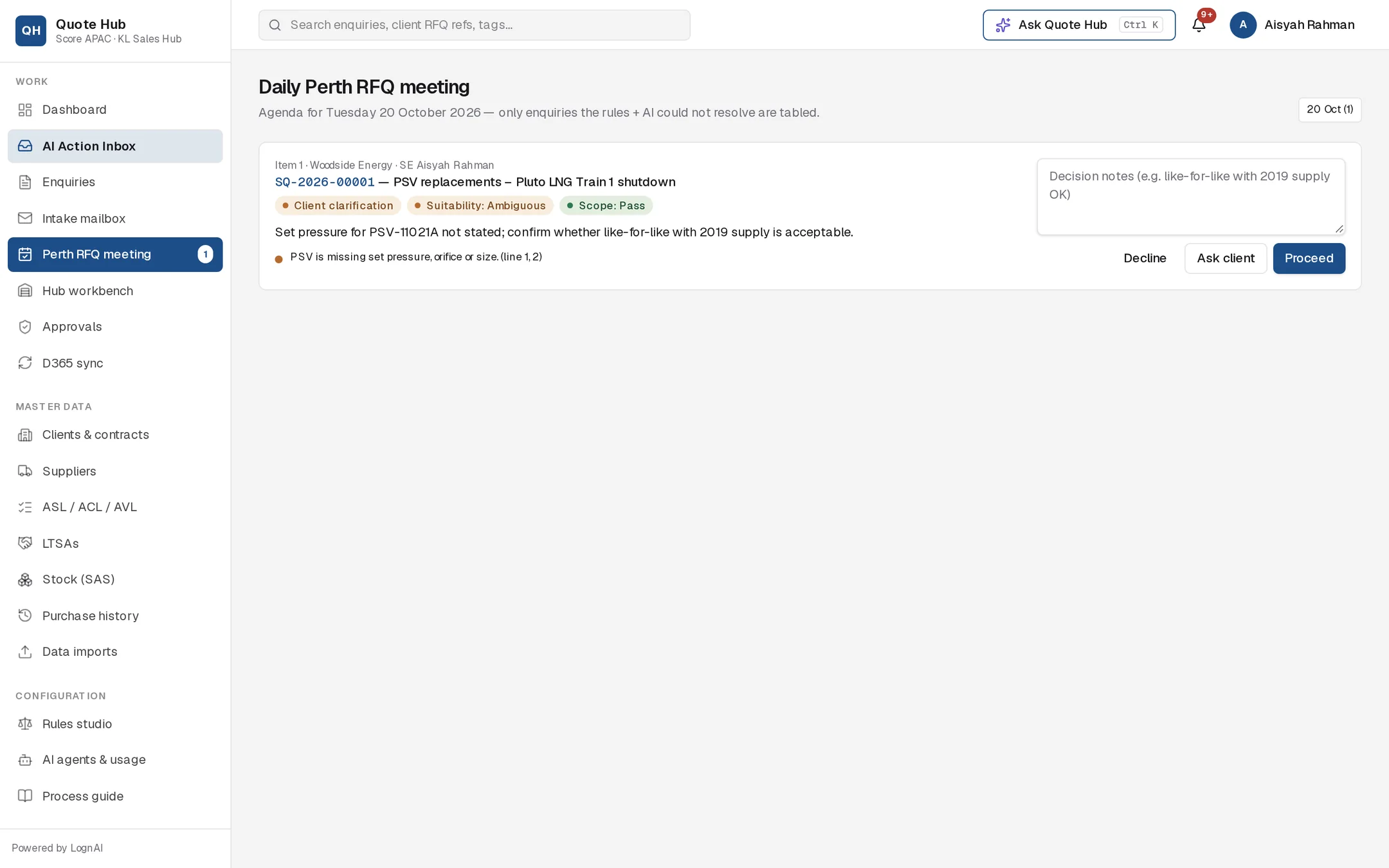
Open Perth RFQ meeting in the sidebar. Each item shows:
- the item number, client and owning sales engineer
- the SQ number and title, linked to the enquiry
- the status, suitability and scope pills
- the reason it was tabled
- up to six Fail and Ambiguous findings from screening
The date buttons at the top right list meeting days from the last two weeks, with the number of items on each. Select one to open that day's agenda.
Record a decision
Add notes
Type the decision in Decision notes, for example "like-for-like with 2019 supply OK".
Choose the outcome
Select one of the three buttons.
| Button | What happens next |
|---|---|
| Proceed | Both verdicts become Pass, the enquiry moves to Requirements review and the stock check starts. |
| Ask client | The Clarification Agent drafts questions for the client, using your notes. The draft waits for approval on the enquiry. |
| Decline | A decline email to the client is drafted and waits for approval. The enquiry closes when the email is approved. |
The decision, notes and the name of the person who recorded it appear on the agenda item and on the enquiry's Overview tab. The header pill changes to show the decision.
Good to know
- A decision cannot be changed on the agenda once recorded. Continue from the enquiry instead.
- Anyone signed in can record a decision. Record it during or straight after the meeting so the sales engineer can act on it.
- If there is nothing to discuss, the page shows Nothing to discuss.