Ask Quote Hub
Ask the copilot questions about an enquiry or your whole pipeline, answered from live Quote Hub data.
The copilot answers questions about enquiries, stock, suppliers, prices and quotes. It looks the answer up in Quote Hub before replying. It can also draft a few actions for you, but anything it suggests goes to the AI Action Inbox for approval.
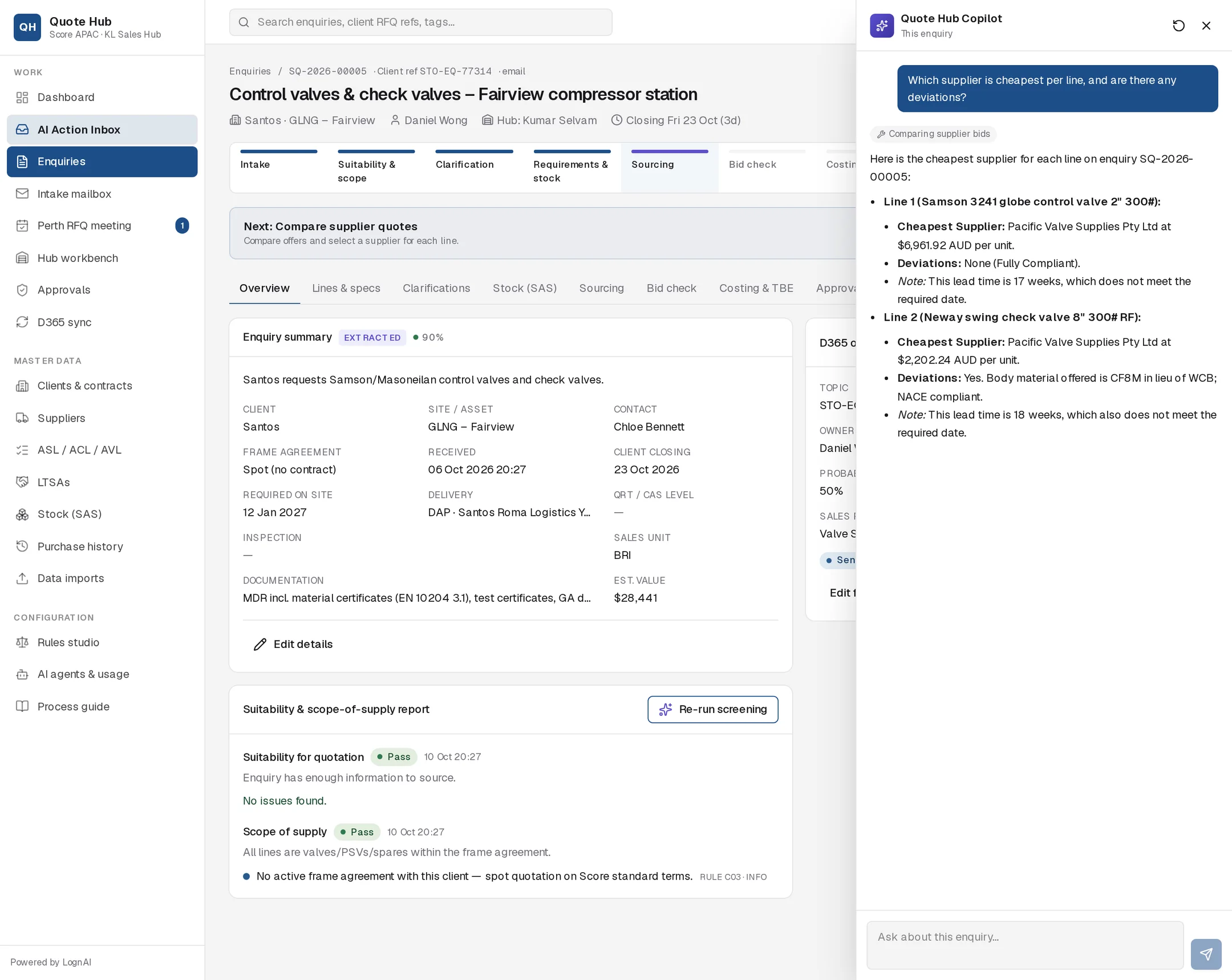
Open the copilot
- Select Ask Quote Hub at the top of any page, or
- Press Ctrl K (⌘ K on a Mac). Press it again or press Esc to close.
The panel opens on the right. Type your question and press Enter. Use Shift + Enter for a new line.
This enquiry or everything
The copilot works out its scope from the page you are on. The label under Quote Hub Copilot shows which one applies.
| You are on | Label | Questions are about |
|---|---|---|
| An enquiry | This enquiry | That enquiry, unless you name another |
| Any other page | All enquiries | Your whole pipeline and master data |
Moving between an enquiry and another page, or to a different enquiry, starts a fresh conversation.
Suggested questions
An empty panel offers starting points. Select one to ask it.
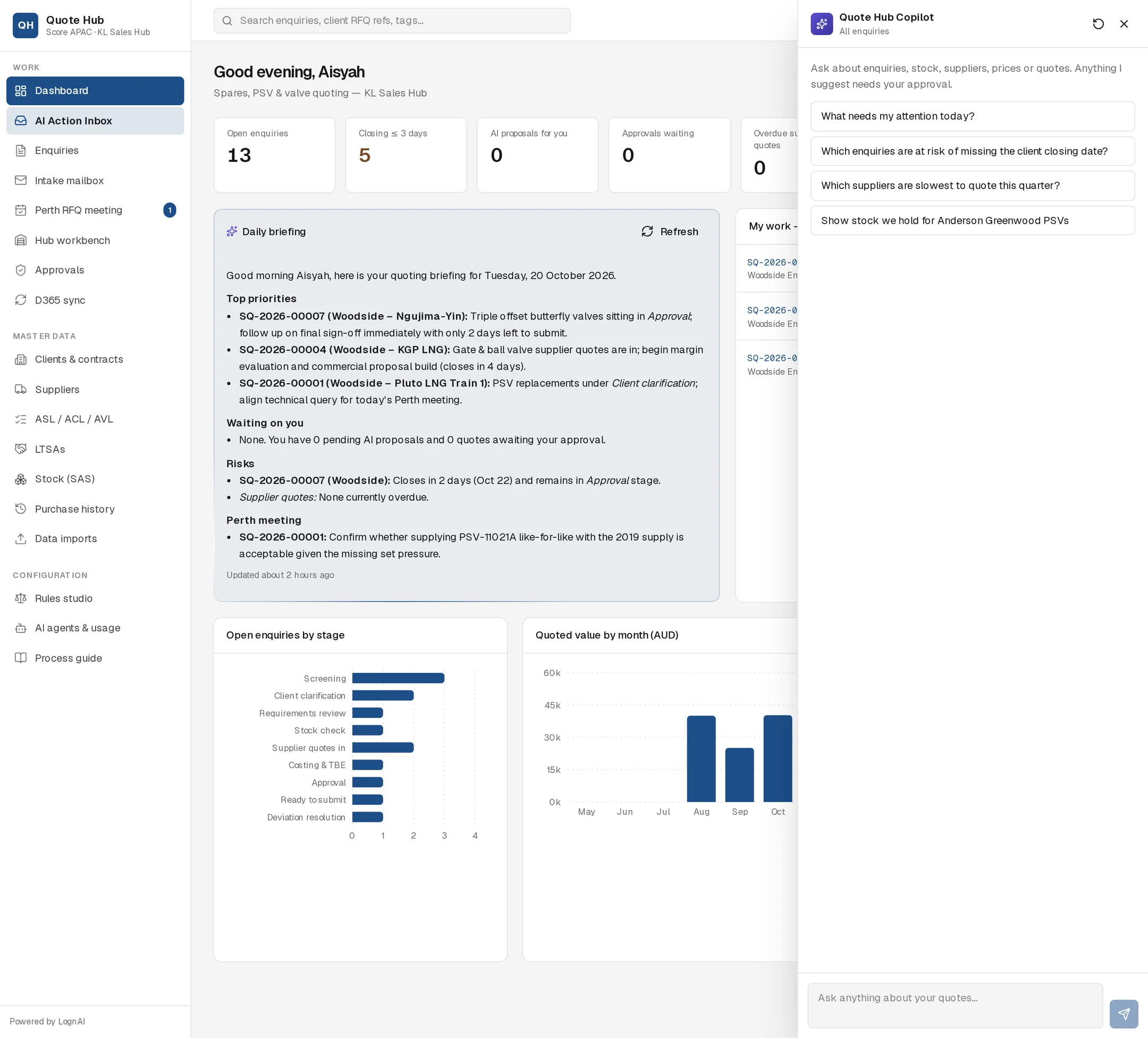
| On an enquiry | Elsewhere |
|---|---|
| Summarise this enquiry and what is blocking it | What needs my attention today? |
| Which lines are missing data needed to quote? | Which enquiries are at risk of missing the client closing date? |
| Who should we source line 1 from and why? | Which suppliers are slowest to quote this quarter? |
| Draft a clarification email to the client | Show stock we hold for Anderson Greenwood PSVs |
| Is our margin in line with previous supplies to this client? |
What it can look up
While it works, small chips above the answer show each lookup, such as "Reading SQ-2026-00005" or "Comparing supplier bids".
| Lookup | Covers |
|---|---|
| Enquiry details | Header, lines and specs, verdicts, status, documents, open findings, sourcing, quotes, costing, approvals |
| Enquiry search | Enquiries by text, client, status or closing window |
| SAS stock | Score stock, including client recycle valve inventory |
| Supplier information | ASL, ACL and AVL status, LTSAs, on-time delivery and quality, 12-month spend, contacts, RFQ responsiveness |
| Price history | What Score paid suppliers and what Score sold to clients, by part number or manufacturer |
| Supplier cascade | Scored supplier candidates for an enquiry's external lines |
| Bid comparison | The current bid check matrix for an enquiry |
| Pipeline summary | Enquiries by stage, wins and losses, overdue supplier quotes, pending approvals and AI proposals |
| Supplier responsiveness | Response rate and average days to quote over a period |
Answers quote SQ numbers, supplier names and figures, in AUD unless stated. If the data is not in Quote Hub, the copilot says so.
Actions it can draft
The copilot cannot send or change anything itself. It can draft three kinds of proposal:
- Clarification questions to the client
- Changes to enquiry or line fields
- A message to a supplier on its RFQ
Each draft appears under the answer as Proposed: … with Review →. Select it to open the proposal in the AI Action Inbox, where you edit, approve or reject it like any other.
Example questions
- "Which lines on this enquiry have no set pressure?"
- "What did we last sell part 2600-1234 for, and to whom?"
- "Is Velan on Woodside's ASL for gate valves?"
- "Which of my enquiries close this week and are still waiting on suppliers?"
- "Ask the supplier on line 2 to confirm country of origin." (drafts a supplier message for approval)
Good to know
- Select the circular arrow at the top of the panel to start a new conversation.
- Closing the panel keeps the conversation while you stay in the same scope.
- Copilot questions asked on an enquiry appear on that enquiry's Agent trace tab.